How Does the Party Servings Estimator Work?
The estimator runs 6 short steps, the last of them only when it applies, and each answer shapes the result, so the final quantity sheet fits the format and duration of the event you are actually hosting, not a generic per-guest average. The full session takes under 2 minutes on a phone or laptop, with no signup or email gate before the result.
Step 1, event type. Say what kind of party you are hosting. It names your plan and sorts the serving-supply suggestions, but it moves no quantity: those come from the steps that follow.
Step 2, guest count and mix. Enter the total between 5 and 300, and say how many of them are kids. Kids get their own per-category portion, mostly around two-thirds of an adult serving, so the mix moves the totals alongside the headcount: 30 adults and 30 children is not the same shopping list as 60 adults.
Step 3, meal format. Pick from 7 ways the food gets served: cocktail, buffet, sit-down, family-style, potluck, snacks and finger food, or dessert-only. Each one produces a different shopping list shape at the same guest count, because a snacks-only evening leaves out the mains and sides that a sit-down dinner fills.
Step 4, duration. Pick how long the event runs (about 2 hours, 3 to 4 hours, 5 to 6 hours, or all day). Longer events need more drinks and more food, so this is the multiplier running underneath all 5 food and drink categories at once.
Step 5, dietary needs. Pick every flag you are accommodating from the 10 on offer: vegan, vegetarian, gluten-free, nut allergy, dairy-free, kosher, halal, kid-friendly, other, or none. This is a pick-list, not a headcount, so the estimator applies its own default of 15 percent per named flag you pick, or the kid share for kid-friendly, and tells you to scale it if your RSVP responses say otherwise.
Step 6, course count. For the formats where it applies, say how many courses you are planning, from a main alone up to 4 or more. You have to answer it to continue, and the count drives the utensil line on the serving-ware sheet.
🛒 As an Amazon Associate, we earn from qualifying purchases, at no extra cost to you.
Chafing Dish Set
Check Price on AmazonBeverage Dispenser
Check Price on AmazonDisposable Serving Trays
Shop on AmazonWhy the Party Servings Estimator Beats an Inspiration-Board Quantity Chart
A quantity chart saved from an inspiration board was sized for somebody else's party, which is why it rarely matches the actual event format and duration. The estimator scales every quantity to the format-and-duration combination you are actually hosting, then hands back a per-category sheet that fills the shopping cart at the headcount, not at a padded guess.
Four reasons hosts run the estimator before the shopping run.
- How long the party runs changes every category. A 2-hour evening and a 5-to-6-hour reception at the same headcount are different shopping lists, and the gap shows up widest on whichever food or drink line carries the biggest per-guest count, the drinks at a seated dinner or the appetizers at a cocktail evening. The estimator takes the duration at Step 4 and applies it across every category, so the quantities match the time guests will actually be eating. Hosts who ignore the clock over-buy for short events and run the snack table dry on long ones.
- Format-specific category breakdown. Cocktail, buffet, sit-down, family-style, potluck, snacks and dessert-only all draw on the 5 categories differently, and a potluck is a different problem again because you are only covering the gaps. The estimator runs the breakdown for the format you picked, so the list reflects the actual serving pattern instead of a generic per-guest tally.
- Kids counted properly, not halved or ignored. A child's portion is set per format and per category, running from about two-thirds of an adult's up to the full portion on the plated courses. Enter the kid count at Step 2 and every category adjusts to the real mix, so a family party stops being sized as though 30 children aged 8 eat like 30 adults.
- Serving ware counted with the breakage built in. Plates start at 1.5 per guest, not 1, because plates get dropped, set down, and picked up again as a second one, and the duration multiplier lifts them from there. The estimator carries that buffer through the napkins, utensils and cups too, so the paper-goods aisle is one section of the list instead of a guess you correct at the party.
The estimator pairs naturally with the Cake Portions Planner for the cake size and tier plan alongside the main-course quantities, the Drinks & Beverage Calculator for the deeper bar-pour math including the spirit and ice estimates, and the Charcuterie & Tablescape Designer for the grazing-table and charcuterie layout, a styling guide that leaves the food quantities to this estimator.
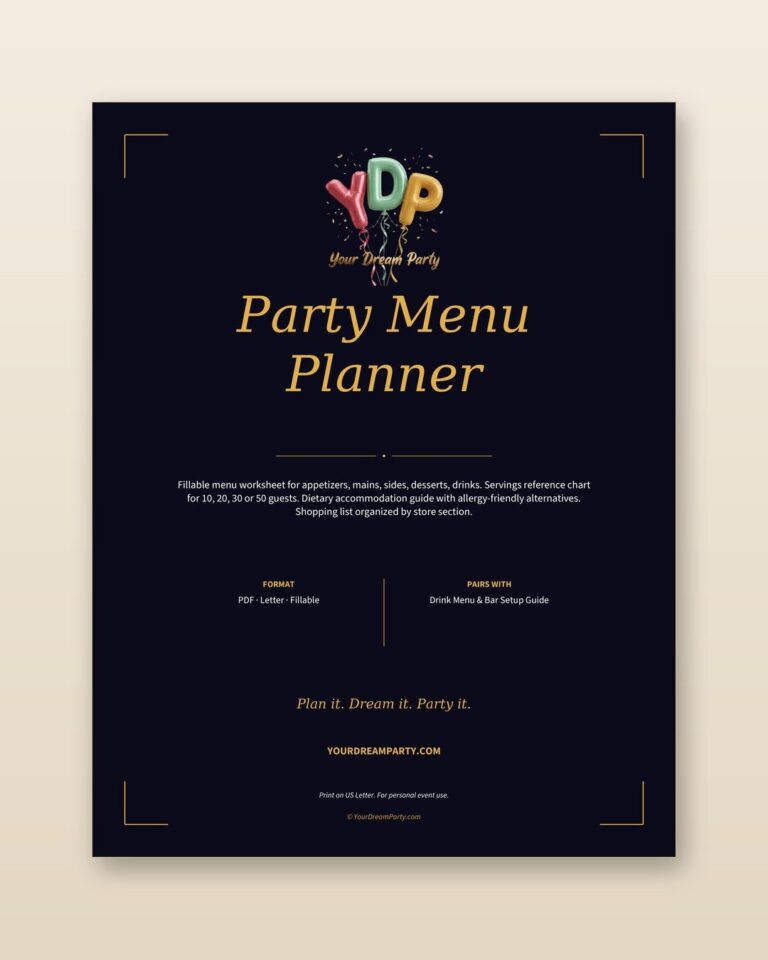
Party Menu Planner
- Party details page and a menu worksheet for 5 courses
- Servings per guest and a prep note for every dish
- Servings chart: 16 foods and drinks, totals for 10, 20, 30 and 50 guests
- Dietary guide with swap-ins for 7 needs, including vegan and halal
What the Party Servings Estimator Builds for Your Shopping Run
Your results page lays out the full shopping-quantity sheet from what you entered. Every block maps to one job, the shopping run or the caterer sheet.
Shopping quantities by category. A card per category across the 5 the estimator tracks, appetizers, mains, sides, desserts and beverages, with the portions adjusted for your guest mix and your duration. It doubles as the supermarket reference for the shopping run.
Serving ware and buffer math. Plates, napkins, utensils and cups, each with a buffer built in for drops, double-use and breakage rather than a bare one-per-guest count. Plates come out at 1.5 per guest for exactly that reason, then scale with the duration. It is a line hosts often under-buy, and it is the cheapest one to get wrong.
Dietary breakdown by category. When you pick any flag besides none or other at Step 5, the result adds a per-flag portion split across the categories your format uses, working on the estimator's own default of 15 percent per flag, with the kid share standing in for kid-friendly. If your RSVP responses give you the real percentage, the footnote under the cards tells you to scale the per-category totals to match.
Printable shopping list. The full quantity sheet downloads for the supermarket run, the caterer sheet, or the helper hand-off, covering the categories, the serving ware, and the dietary split.
Run the Estimator Across Common Hosting Formats
Below are 3 common hosting patterns. The seated and buffet patterns run all 6 steps, the cocktail evening skips the course count, and the result changes because your inputs reshape the quantities.
Pattern 1, 30-guest cocktail evening, no kids, cocktail format, about 2 hours, vegan and gluten-free picked. The estimator returns appetizer-weighted quantities with the mains and sides cards grayed out as unused in this format, a beverage line sized to the short window, serving ware at 45 plates for the 30 guests, and a dietary split showing about 15 percent of each category's portions for each picked flag. This fits adult birthday and milestone-anniversary cocktail evenings at home or in a small venue. Pair with the appetizers for a Christmas party guide, seasonal flavors aside, for the bite mix and the pieces-per-guest counts.
Pattern 2, 60-guest reception, 10 kids, sit-down format, 3 to 4 hours, 3 courses. For this one the estimator splits each category into an adult line and a kid line, giving the 10 children a lighter appetizer and beverage share while the plated courses stay at a full portion, lifts every food line by the 3-to-4-hour multiplier, and carries the 3 courses into the utensil count. It fits milestone birthdays, anniversaries, and small wedding receptions at home or in a small rental venue.
Pattern 3, 100-guest reception, buffet format, 5 to 6 hours, several dietary flags picked. Here the estimator returns buffet-weighted quantities across all 5 categories, a beverage line carrying the long window, 195 plates against the 100 guests once the buffer and the long window are in, and a dietary breakdown naming the per-category split for each named flag you picked. Made for wedding receptions and corporate hosting at full-service venues. Pair with the holiday party food and drinks guide for make-ahead buffet trays and a self-serve drinks station and the dinner party menu ideas guide for building the menu course by course.
For the broader food-and-styling context, the food board ideas guide covers the grazing-table layout the estimator's sheet feeds into once the quantities are settled, the birthday party food ideas guide walks through finger foods and a dessert count for a casual birthday, and the graduation party food guide handles graduation buffet pacing and the protein count for a large crowd.
Pick the Right Answers Before You Open the Estimator
A few inputs sharpen the sheet. Run through these before you start so the estimator has accurate numbers to work with.
Pick the guest count against the live RSVP tracker, not the invite list. A 60-person invite list with 48 confirmed yeses needs a 48-guest food list, not a 60-guest one. The estimator anchors every quantity to the number you give it, so the wrong count produces either a sink full of leftover dips or a panicked supermarket run during cocktail hour.
Pick the duration honestly against the actual hosting window. A 90-minute drop-in cocktail event differs sharply from a 4-hour seated reception. Hosts who pick a 2-hour duration when guests will actually be eating for 4 hours under-buy across every category. The duration drives the multiplier, so be honest about how long guests will be eating and drinking, not how long the event runs end-to-end (a 5-hour event with a 90-minute cocktail and a 90-minute seated dinner runs on the 3-to-4-hour multiplier, not the 5-to-6-hour one).
Pick the format that matches the venue and the planning bandwidth. A sit-down format needs a kitchen with the capacity to plate 60 covers in a 25-minute service window; a buffet needs station setup and a helper at each station; snacks and finger food need almost none of that. The estimator gives the quantity sheet for each of the 7 formats but does not check your kitchen capacity, so pick the one your venue and cooking team can actually deliver.
Scale the dietary split against the RSVP tracker, not the default. The estimator's own default of 15 percent behind each named flag you pick, or the kid share behind kid-friendly, is a starting point and not your room. Pull the real counts from the Guest List & RSVP Tracker dietary roll-up and scale the per-category totals up or down to match, exactly as the result tells you to. A nut allergy in particular is worth confirming by name.
Enter the kid count even when it feels like a rounding error. At a 60-guest party, 10 children pull the appetizer and beverage lines down by a tray's worth, and on a buffet the mains and sides with them. Hosts who type 0 kids because the children "barely eat" end up buying for 60 adults and carrying the difference home. The field is there precisely so you do not have to guess at that adjustment yourself.
Save the shopping list before the supermarket trip. The printable sheet is what you carry for the supermarket run and for the helper navigating the dietary aisles. Print it for the planning binder; share it with the partner placing the bar order; keep a copy on the phone for the helper running the second supermarket trip if the planning splits across 2 days.
Frequently Asked Questions
Is the Party Servings Estimator actually free?
Yes. The estimator, the shopping quantities by category, the serving ware and buffer math, the dietary breakdown, and the printable shopping list cost nothing and require no signup. The optional upgrade is the Party Menu Planner PDF ($7.00), which builds on the result with fillable menu fields, a per-guest servings chart, and a store-organized shopping checklist.
How much food do I need for a party?
Quantity sizing depends on the format, the duration and the guest mix. A short cocktail evening leans almost entirely on the appetizer line; a sit-down dinner spreads across appetizers, mains and sides; a dessert-only afternoon runs on the dessert and beverage lines plus the serving ware. The estimator runs the per-category math for your specific format, headcount, kid split and duration.
How many appetizers per guest for a party?
It depends on the format and the duration you pick, which is the whole point of running it: the appetizer line on a 2-hour cocktail evening carries the entire meal, while the same line on a sit-down dinner is only the first course ahead of 3 more lines, the mains, sides and desserts. Enter the format at Step 3 and the duration at Step 4, and the appetizer quantity comes back sized to the job it is actually doing.
How much wine and drinks should I buy for a party?
The estimator carries beverages as one of its 5 categories, sized to your headcount and duration, which covers the shopping-list question. For the bar proper, split by wine, beer, cocktails and spirits, with glassware counts and an ice estimate, run the Drinks & Beverage Calculator linked above instead. The two are meant to be used together: this one sizes the food, that one sizes the bar.
How does the estimator handle dietary restrictions?
Pick the flags you are accommodating at Step 5, from vegan, vegetarian, gluten-free, nut allergy, dairy-free, kosher, halal, kid-friendly, other and none. The result adds a dietary breakdown per category for each named flag, with anything typed under Other added as a footnote below those cards instead. It applies the estimator's own default of 15 percent per flag (kid-friendly gets the kid share) rather than a headcount, so pull the real numbers from the Guest List & RSVP Tracker dietary roll-up and scale the totals to match.
Can I use this for a buffet or a plated dinner?
Yes. The estimator handles all 7 formats: cocktail, buffet, sit-down, family-style, potluck, snacks and finger food, and dessert-only. Each produces a different category breakdown even at the same guest count. Pick the format at Step 3, and where courses apply, set the course count at Step 6.
Can I save or share the shopping list?
Yes. The printable shopping list downloads for the supermarket run, the caterer sheet, or the helper hand-off, and works as a single-glance reference covering up to 5 categories, the serving-ware counts, and the dietary breakdown.
Ready to Size the Shopping Run?
Buying for a crowd usually ends in over-shopping or a mid-party shortfall, so hand the headcount and meal format to the Party Servings Estimator and let it size every category instead. In about 2 minutes and up to 6 steps, you get shopping quantities across 5 categories, the serving ware with its buffer already counted, a dietary breakdown per named flag, and a printable shopping list. The Party Menu Planner below expands the result with fillable menu fields, a servings chart for common party foods, and a store-organized shopping checklist.
This page contains affiliate links to Amazon and other retailers. As an Amazon Associate, we earn from qualifying purchases at no extra cost to you. This helps us keep all our tools free.
Results generated by this tool are for planning and inspiration purposes only. Estimates are based on general guidelines and may vary depending on your specific circumstances. Always verify with your suppliers before making purchasing decisions.
Results are for planning and inspiration purposes only. Always check for food allergies before serving. Always verify with your suppliers before purchasing.