How Does the Last-Minute Emergency Planner Work?
The planner runs 4 short steps, with a fifth that only appears when you are truly out of time, and the time you pick is the only answer that changes which questions follow. The action list and the shopping calls that come back match the time tier you pick, not a generic emergency checklist. The whole thing takes under 90 seconds on a phone or laptop, with no signup or email required before you see the result.
Step 1, time remaining. Pick from 4 windows: under 6 hours, 6 to 24 hours, 24 to 48 hours, or 48 to 72 hours. This one drives every cut that follows, because the action list you get back is built in time blocks against the window you picked, not against a generic emergency checklist.
Step 2, occasion. Pick from 10 event types (birthday, wedding, baby shower, bachelorette or bridal, graduation, anniversary, engagement, retirement, housewarming, general celebration). The occasion steers the food rescue list, the plan's title and badge, and the order of the Amazon picks; the action list and the buy-versus-skip call answer to the time tier.
Step 3, guest count. Enter the confirmed headcount between 5 and 50. Last-minute events realistically cap at 50; anything bigger needs more lead time, and the planner will tell you so. Your headcount is stamped on the plan header, the result badges and the printout, so every copy carries the number you are cooking for.
Step 4, what is already done. Check off whatever is already handled from the 8 on the list: venue, decorations, cake or dessert, drinks, music, food, invitations, or nothing at all. A task comes back crossed out in the action list once your picks cover every item in it, so the plan you get back separates the work still in front of you from what is already done.
The panic-mode extra, same-day delivery. One more question appears if you picked the under-6-hours window. Say whether same-day delivery reaches you (yes, in-person only, or mixed), and answering yes adds a short delivery note plus an Amazon grid cut down to kits and packs, each one to check for same-day delivery on Amazon.
🛒 As an Amazon Associate, we earn from qualifying purchases, at no extra cost to you.
Instant Party Decorations
Shop on AmazonBalloon Party Pack
Shop on AmazonPre-Filled Party Bags
Shop on AmazonUse the Planner Before You Open the Supermarket App
Under time pressure, the instinct is to skip planning and open the supermarket app, adding whatever comes to mind. That leaves you with an over-bought cart on the high-priority items and an under-bought cart on the easy-to-forget basics. The planner makes the cuts first, then hands you a buy column and a skip column set by the window you pick.
Four reasons hosts run the planner before the supermarket run.
- An action list ordered by the hour, not by category. A normal checklist tells you what a party needs; this one tells you what to do next in the window you actually have. Pick the under-6-hours tier and the list strips to what can physically be finished; pick 48 to 72 hours and it adds back the things that need a day to set. The ordering is the product, not the contents.
- A buy-versus-skip call made for you. Under pressure the expensive mistake is not forgetting something, it is buying something you have no time to use. The planner splits the shopping into what to buy and what to skip outright, so the cart matches the clock instead of the ambition.
- Tasks your picks cover get crossed out. Pick the venue or the music at Step 4 and the matching task comes back with a line through it and a green check. A shared task, such as one shopping run for drinks and decorations, waits until you pick every item in it. Many emergency checklists make you read past the work you finished yesterday; this one strikes it through so what is left stands out.
- Shortcuts for the 2 things that always run out of time. The result carries a DIY decoration block and a food rescue block, the first built around what is already in the house, the second around food you order in, buy ready-made or assemble. They are the 2 places a short window bites first, so they get their own sections instead of a line each.
The planner pairs naturally with the Party Servings Estimator for the per-guest food quantities the buy column needs, the Party Budget Calculator for splitting the leaner budget a time-pressed party tends to run across its categories, and the Guest List & RSVP Tracker for confirming the headcount across the lead-up day.
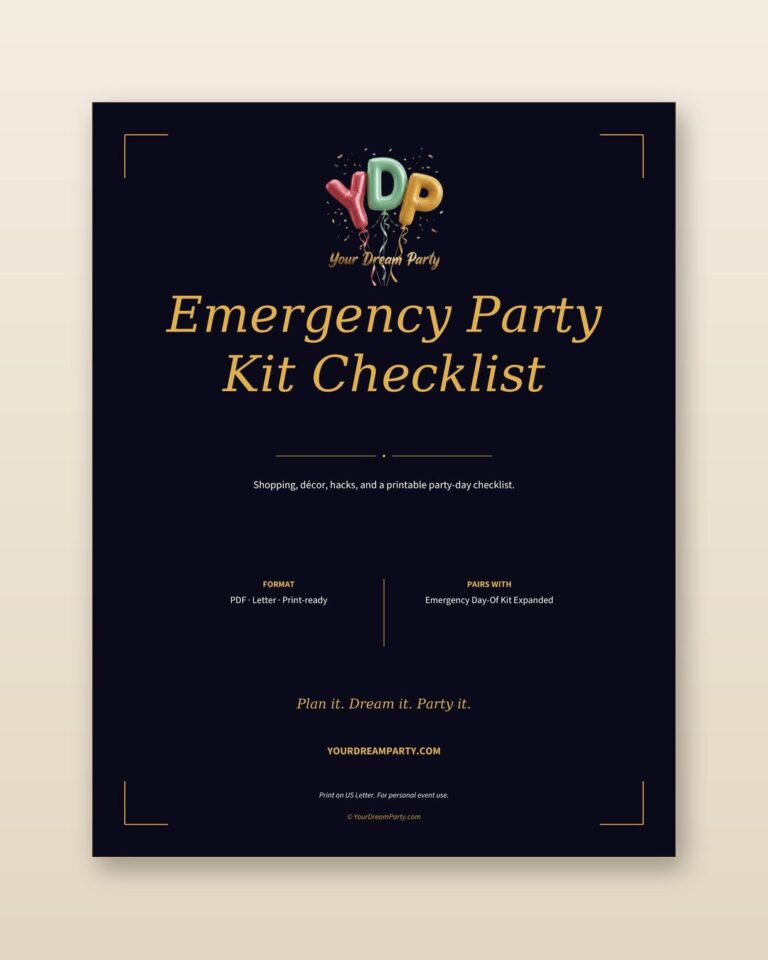
Emergency Party Kit Checklist
- Built for a party in 24 hours or less
- Shopping list in 6 categories, from paper goods to guest comfort
- Store-by-store route: 3 stops or fewer, cold items last
- 8 decorating moves of 30 minutes or less, ranked by photo impact
What the Last-Minute Emergency Planner Builds for Your Crunch
The results page gives you a full triaged plan built from your answers. The action list and the buy-versus-skip call move with the window you picked, the food rescue block moves with the occasion, and the decoration shortcuts come as one fixed set of 5.
Priority action list by hour. Every task still outstanding, ordered against the window you picked, so you work down a list instead of deciding what matters while the clock runs. Any task fully covered by your Step 4 picks comes back crossed out and marked already done.
What to buy vs skip. A 2-column call on the shopping run. The buy column is what earns its place in the time you have; the skip column is what to walk past, which is the harder half and the one hosts often get wrong under pressure.
DIY decoration shortcuts. A short set of decoration moves that work from what is already in the house: string lights, a candle cluster, a fabric drape, a plate stack, a masking-tape banner. They are the ones that read as intentional and take minutes, not hours.
Food rescue shortcuts. The same idea on the catering side: what to assemble rather than cook, and what to buy finished. It is the block that keeps a short window from ending in a takeout order you did not plan for.
Emergency checklist. Seven fixed essentials, the same every run, the bare minimum that carries a party once everything else has been cut.
Kits and packs for a fast order. Only when you told the planner you are under 6 hours and same-day delivery reaches you. It points you to the planner's own Amazon grid further down the results, narrowed to kits and packs that cover several things in one order, because at that point the trip itself is the thing you cannot afford. Whether each one can arrive today is Amazon's to say, so check before you count on it.
When Should You Run the Last-Minute Emergency Planner?
Three common patterns show the range. Same 4 steps each time, plus the delivery question in the first, but the result shifts because your inputs point the cuts in different directions.
Pattern 1, 8-guest birthday, under 6 hours, nothing handled yet, same-day delivery available. Here the planner strips the action list to what can physically be done before the doorbell rings, calls buy-versus-skip hard against a single shopping run, leans on the DIY decoration and food rescue shortcuts, and points you to kits and packs to order for anything you no longer have time to fetch yourself.
Pattern 2, 20-guest birthday, 24 to 48 hours, venue and cake already handled. This one crosses the space booking out of the action list, while the clean-up stays on it. The cake line stays open, because it shares a single task with the catering order. What stands is that order plus the food, drinks, decorations, music and invitation reminders still outstanding, sequenced across the window with the buy-versus-skip call sitting behind it.
Pattern 3, 30-guest anniversary, 48 to 72 hours, drinks and music already handled. With the most time of the 3, the list adds back the moves that need a day to set, and the DIY and food rescue blocks arrive unchanged, reading as options rather than rescues, because at that window you have room to cook rather than assemble.
For more planning-and-recovery help, deeper triage lives in the last-minute party planning guide, the longer-window planning in the party planning checklist guide guide, and the ready-made checklist, budget and guest list templates in the party planning templates guide.
Pick the Right Answers Before You Open the Planner
A few honest inputs sharpen the plan. Run through these before you start, because the planner can only work from what you give it.
Pick the actual time remaining, not the optimistic count. Picking 24 to 48 hours when you actually have 18 gives you a plan that over-promises decor and dessert; picking 6 to 24 hours when you actually have 30 leaves the plan too thin, and you land at doorbell hour still under-decorated. Pull out the calendar, count the clock hours from now to the doorbell, and pick the tier that holds them. The planner already builds the sleep block into the overnight tier, so do not subtract it yourself.
Pull the headcount from your live RSVP, not the optimistic count. Last-minute parties tend to get lower yes-rates than fully planned ones: a 20-person same-day invite can end up as 14 confirmed yeses, not 20. Pull the count from your live group-chat or text-thread RSVP, and the planner carries the confirmed count into the plan header, the badges and the printout, not the invite number.
Pick the occasion that matches the real moment, not the calendar label. A retirement party and a housewarming pull different food rescue lists even at the same headcount and the same window. Pick from the 10 on the list instead of defaulting to general celebration, because the vaguer the occasion, the more generic the list that comes back.
Check what is genuinely done, not what is nearly done. Step 4 crosses out each task your picks fully cover, which is exactly what you want for a playlist that is already tested and exactly what you do not want for the one you have been meaning to build. A half-finished item checked off can come back with a line through it and stop reading as work.
Answer the delivery question honestly if you get asked it. The fifth step only shows up in the under-6-hours tier, and it controls whether the result adds the delivery note and a product grid narrowed to kits and packs. Saying delivery reaches you when it does not is the one answer that can leave you with neither.
Print or copy your plan before the supermarket trip. The printout works double duty as the reference for your supermarket run, the partner placing the bakery order, or the helper arriving for the prep shift. Print it for the kitchen counter, paste the Copy All text into a message to your partner on the way to the store, and keep a copy on your phone for the day-of setup window.
Frequently Asked Questions
Is the Last-Minute Emergency Planner actually free?
Yes. The planner, the priority action list, the buy-versus-skip call, the DIY decoration shortcuts, the food rescue shortcuts, the emergency checklist, and the printable plan cost nothing and require no signup. The optional upgrade is the Emergency Party Kit Checklist ($7.00), which carries the result forward with an essential shopping list, a store-by-store shopping route, quick decoration ideas, and a time-saving hacks reference.
Can I plan a party in 4 hours?
Yes, with cuts. Pick the under-6-hours window and the planner strips the action list to what can physically be finished, calls buy-versus-skip hard, and leans on the DIY decoration and food rescue shortcuts. It is also the only window that asks about same-day delivery, on the assumption that at that point a trip out is a cost you may not be able to carry.
What can I cut from a last-minute party?
The planner runs the call as a 2-column buy-versus-skip block instead of a ranked cut list. The buy column is what earns its place in the window you have; the skip column is what to walk past. Under time pressure the expensive mistake is not forgetting something, it is buying something you then have no time to use, which is why the skip half is there at all.
How many helpers do I need for a last-minute party?
That is your call to make, not the planner's: it asks about your time, your occasion, your headcount and what you have already handled, and it does not ask who is helping. What it gives you is an hour-ordered action list, which is the thing you can hand to another pair of hands and split. Read it with whoever is helping and divide it there.
Can I host a party with a limited kitchen?
Yes, and the food rescue shortcuts are the part to lean on. They are built around what can be assembled rather than cooked and what to buy finished, which is the same answer a limited kitchen needs. The planner does not ask about your kitchen, so make that call yourself when you read the buy-versus-skip block.
What if the time remaining changes mid-prep?
Re-run the planner on the new window. The action list and the buy-versus-skip call hang off the time tier you pick, so gaining 12 hours or losing 6 changes them only when it moves you into another tier. It takes under 90 seconds to run again, which is less time than working out the difference by hand.
Can I save or share the plan?
Yes. The plan prints for the partner conversation, the helper hand-off, or the day-of reference, covering the priority action list, the buy-versus-skip call, the decoration and food shortcuts, and the emergency checklist.
Ready to Triage the Last-Minute Plan?
Down to a few hours with a party still to host, the Last-Minute Emergency Planner is built for exactly that. Ninety seconds, 4 steps, and you get a priority action list ordered by the hour, a buy-versus-skip call, DIY decoration shortcuts, food rescue shortcuts, an emergency checklist, and a grid of kits and packs when the clock is tight and same-day delivery reaches your door.
This page contains affiliate links to Amazon and other retailers. As an Amazon Associate, we earn from qualifying purchases at no extra cost to you. This helps us keep all our tools free.
Results generated by this tool are for planning and inspiration purposes only. Estimates are based on general guidelines and may vary depending on your specific circumstances. Always verify with your suppliers before making purchasing decisions.