How Does the Seasonal & Holiday Party Generator Work?
The generator runs 6 short steps, 5 questions and a review screen. Your answers each steer part of the plan, so the plan you get fits the season, the venue, and the crowd you are actually hosting, not a generic holiday default. The whole thing takes under 2 minutes on a phone or laptop, with no signup or email required before you see the result.
Step 1, season or holiday. Pick from 10 cards (Spring, Summer, Fall / Autumn, Winter, Halloween, Christmas, Thanksgiving, Valentine's Day, New Year's Eve, Easter), with the current season already highlighted for you. Your pick sets the theme name, the 3-color palette, the menu styling and the decoration anchor. Each frame has its own feel, so Thanksgiving lands on pumpkin orange, walnut brown and wheat gold with a family-style roast-and-casseroles menu, while Halloween lands on pumpkin orange, midnight black and witchy purple with a finger-food-and-grazing menu.
Step 2, indoor or outdoor. Three cards: indoor, outdoor, or hybrid with both spaces in play. Indoor pulls a mantel and fireplace dressing into the anchor list and weaves the string lights through the centerpiece; outdoor swaps in a porch or entryway statement, festoon lighting over the seating, and a weather-backup note in the atmosphere tips; hybrid picks up both anchor pieces plus the outdoor lighting and the weather note.
Step 3, age mix. Pick from 4 groups (adults only, mixed adults and kids, kids-focused, seniors gathering). Adults only opens a drinks-led pacing note and a signature drink card; anything with kids under it swaps in a craft station, a kid-height photo backdrop, favor bags and an alcohol-free drinks program; seniors gathering moves to seated activities and gentle pacing.
Step 4, group size. Pick a band (intimate 4 to 12, small 13 to 30, medium 31 to 65, large 66 to 100) or type the exact total anywhere from 4 to 100; a band stands in as 8, 20, 50 or 85 guests, so type the number when you know it. The number drives the serving-format call in your menu block: plated or seated-family-style under 15, family-style or stations from 15, buffet or grazing-table from 40 up.
Step 5, decoration budget. Pick from 4 bands (under $100, $100 to $300, $300 to $700, $700 and up). The band writes the tier note on your decoration checklist: DIY-led with one anchor piece at the bottom, one statement piece plus retail tableware in the middle, full-room dressing above that, and multiple statement pieces with layered lighting at the top.
Step 6, generate. The sixth step asks for nothing. It is the confirm screen that restates what the plan will cover before it builds, so the last thing you do is read your own 5 answers back and press the button.
🛒 As an Amazon Associate, we earn from qualifying purchases, at no extra cost to you.
Seasonal Party Decorations
Shop on AmazonFairy String Lights
Shop on AmazonHoliday Centerpiece Kit
Shop on AmazonUse the Generator Before You Open the Inspiration Boards
A mood board is often where a seasonal theme first takes shape, and that board rarely settles into one plan without you overwriting half the images you saved. The generator builds one clear theme and palette from a single season, then shapes the decoration checklist, the menu styling and the atmosphere cues around your other answers, so every later choice stays in line.
Five reasons hosts run the generator before the shopping run.
- A cohesive palette tied to your frame. The Fall / Autumn card prints burnt orange #C0571A, walnut brown #7D4E2A and harvest gold #E8C168; Winter prints deep navy #1F3A5F, brushed gold #C4A875 and cream white #F0E6D3; Christmas prints Christmas red #A02C2C, pine green #2A6F4F and warm gold #E8C168. Each frame settles on one palette, so your tablescape, candles, linens, and floral order all coordinate without you juggling 3 separate mood boards.
- Menu styling, not recipes. The Christmas card comes back with a festive comfort format (roast main, mulled wine and cider, Christmas pudding or yule log), plus a plating note that keeps the palette on the fruit boards, dessert toppers, drink garnishes and napkins rather than in the food itself. Pick a kids or mixed age group and the mulled wine turns into mulled cider and cocoa.
- A decoration checklist split 3 ways. Halloween indoors for an adults-only crowd opens with 3 anchor pieces (the jack-o'-lantern-and-candle-mantel focal point, the mantel dressing, the tablescape centerpiece), then runs 6 supporting items and 8 finishing touches, the mini pumpkins and themed bar coasters among them. Anchor pieces come first because that is where the budget goes.
- Atmosphere cues for the hour that matters. The New Year's Eve card opens the activity block with countdown work (for an adult crowd, champagne toast, year-in-review wall, midnight balloon drop or sparklers) and drops countdown props into the finishing touches, while the atmosphere block puts the weight on the first 30 minutes: candles lit, playlist on, scent active and one drink poured before the bell. A week-by-week countdown is the Party Planning Timeline's job, and the result page links you straight there.
- One theme that resists mood-board drift. A single-frame plan gives you a named theme with a short paragraph under it, plus a one-line summary strip across the top that reads back your answers in order: Fall / Autumn, indoor, adults only, 20 guests, $100 to $300 budget. Skip this step and you tend to end up with a tablescape from one inspiration board and a menu from another that fight each other on the day.
The generator pairs naturally with the Party Color Palette Generator if you want more colors with hex codes, grown from one anchor shade of your choosing and tuned to your vibe and season, the Party Servings Estimator for the menu quantities your plan needs, and the Charcuterie & Tablescape Designer for a top-down placement map of the board or table you are styling.
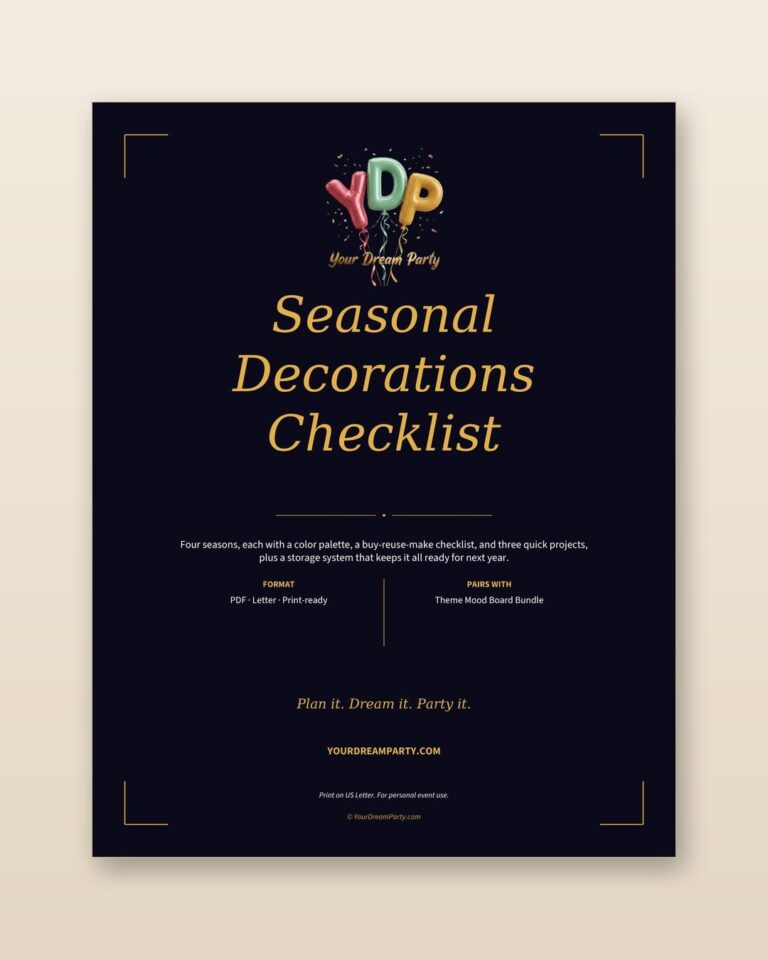
Seasonal Decorations Checklist
- A color palette for each season, with what each color is for
- Buy, reuse and make checklists for all 4 seasons
- 3 quick projects per season
- 2 winter variations: festive and modern
What the Seasonal & Holiday Party Generator Builds for Your Season
The results page hands you a complete seasonal-party plan built from your inputs. Together the blocks turn your 5 answers into a concrete next step, whether that is the shopping run, the cooking, the decor setup, or the hand-off to a helper.
Theme card. The theme gets a name and a paragraph of its own, both drawn from the season you picked. With kids on the list, Valentine's Day, Winter and New Year's Eve swap in a kid-friendly paragraph, and Valentine's Day takes a new name too. A 20-guest Thanksgiving indoors comes back as "Thanksgiving Harvest Table" over a note about the gratitude moment, the harvest palette and the seated-dinner format. Above it sits the one-line summary strip you can paste to a partner or helper before you sit down to plan.
Palette swatches. Three swatches sit under the theme card, each with a color name and its hex code (Winter gives you deep navy #1F3A5F, brushed gold #C4A875 and cream white #F0E6D3). Copy the codes straight into the tablecloth, napkin, candle-holder and balloon orders, so what you buy stays coordinated across vendors instead of splintering into 3 palette directions.
Menu styling cues. Five short lines rather than a table: the seasonal format, the serving style your headcount calls for, a plating note, a drinks program keyed to your age mix, and one anchor dessert that doubles as the photo moment. The block is styling direction only, so it works as the note you hand a caterer, not as a recipe card.
Decoration checklist. Anchor pieces first, then supporting decor, then finishing touches, each under its own heading, with a budget tier note closing the block. Every run lands between 14 and 19 items, and your season, venue and age mix decide which of the optional ones appear. Work down it in order and the room fills from the focal point outward.
Activities and entertainment. Four ideas keyed to your age mix, opening with the season's anchor activity (pumpkin carving and a fire pit for fall, or pumpkin painting when kids come; a hot chocolate bar and a board-game tournament for winter). Adults only gets drinks-led pacing and conversation prompt cards; a mixed list gets 2 tracks running side by side with one shared moment about an hour in.
Atmosphere tips. Lighting, music, scent and temperature, each keyed to your season, plus a weather-backup note if any part of the party is outdoors. It closes on the arrival 30 minutes: candles lit, playlist running, scent active and one drink already poured before the first guest rings the bell.
Print, copy or email it. Print Plan sends only the plan itself to paper or to your printer's save-as-PDF, with a "Created at yourdreamparty.com" line at the foot. Copy All drops the whole thing as plain text into a message, and Email My Seasonal Party Plan sends it all to your inbox (your answers, then the theme, palette, checklist, activities, menu and atmosphere tips) for the partner conversation or the planning binder.
When Should You Run the Seasonal & Holiday Party Generator?
Three sample runs show the range. Each goes through the same 6 steps but ends somewhere different, because your inputs pull the plan in a different direction.
Pattern 1, 15-guest adults-only Halloween indoors, $100 to $300. Run this one and you get the Halloween Evening theme, a pumpkin orange #E25E0D, midnight black #1A1A2E and witchy purple #5D2A8C palette, a finger-food and grazing menu (mummy-wrapped snacks, themed punch, candy bowl) with family-style-or-stations service called for 15 guests, and a 17-item checklist running from the jack-o'-lantern-and-mantel anchor down to mini pumpkins on the side tables and thank-you cards at the exit. It fits an adult Halloween at home with 15 to 20 guests.
Pattern 2, 30-guest Thanksgiving indoors with kids in the mix, $700 and up. Here you end up with the Thanksgiving Harvest Table theme, a pumpkin orange #C45E1C, walnut brown #7D4E2A and wheat gold #DCC185 palette, a family-style seated dinner (roast turkey or an alternate, side casseroles, pies, a coffee station) with a kids bar of mocktails alongside a grown-up station of coffee, tea and non-alcoholic punch, 2 activity tracks with a shared moment an hour or so in, and a 17-item checklist under a premium tier note. It suits a family Thanksgiving at home with 20 to 40 guests.
Pattern 3, 40-guest adults-only New Year's Eve indoors, $700 and up. This time you'll see the New Year's Eve Sparkle theme, a midnight black #0A0A1A, champagne gold #D4AF37 and silver #CCCCCC palette, a cocktail-party menu of passed appetizers and a champagne station, and the note that at 40 guests buffet or grazing-table service beats plated. Countdown props land in the finishing touches, and the result page points you to the Party Planning Timeline for the countdown of planning weeks. An adults-only New Year's Eve for 40 to 60 guests comes back much the same way.
For more holiday-and-styling inspiration, the Christmas party ideas guide sorts office, family and friends-only Christmas formats, the Halloween party ideas guide goes deeper on Halloween's tones, from creepy-elegant to kid-friendly bright, the Valentine's Day party ideas guide covers February hosting, and the Fourth of July party ideas guide covers summer outdoor gatherings.
Pick the Right Answers Before You Open the Generator
A few details sharpen your plan. Run through these before you start, since the generator is only as sharp as what you give it.
Pick a single seasonal frame, not a mash-up. A "Christmas-and-Winter" mash-up leaves you a palette at war with itself; a "Halloween-and-Fall" mash-up leaves a tablescape the menu cannot support. Pick one frame in Step 1, and the generator carries that single theme across every block. If you are hosting on a shared-holiday date, run it twice and keep the plan that fits your venue and headcount better.
Pull the headcount from your live RSVP, not the invite list. A 30-person invite that lands 22 confirmed yeses should run at 22, not 30. The headcount is the only input that moves the serving-format call, and it turns over at 15 guests and again at 40, so entering the invite list instead of the confirmed count can put a buffet in your plan when family-style would have done.
Pick the age mix your guest list actually is, not the one you picture. Adults only opens a drinks-led pacing note, conversation prompt cards and a signature cocktail-and-mocktail card; mixed or kids-focused takes the alcohol out of the drinks program entirely and adds a craft station, a kid-height backdrop and favor bags. Get it wrong and you either hand a room of kids an adult bar plan or lose the craft station a family party needed.
Pick the space the party is actually in, not the aspirational one. Outdoor pulls in a porch or entryway statement, festoon lighting over the seating, lantern clusters on the tables and a weather-backup paragraph; indoor pulls in the mantel dressing and fairy lights woven through the centerpiece instead; hybrid carries the mantel and the porch together with the outdoor lighting, which makes the longest checklist for your season and age mix. Pick the one you will use and the decoration list matches the room.
Answer the budget question about decor alone, not the whole party. Step 5 asks what you are spending on decoration, and the 4 bands only change the tier note under the checklist: DIY-led at the bottom, one statement piece plus retail tableware next, full-room dressing above that, layered lighting and reusable pieces at the top. The theme, the palette and the menu cues hold steady across all 4.
Open the generator before the shopping run, not after it. There is no lead-time question in the 6 steps, and nothing in the plan reorders itself for a short runway, so the timing advantage is yours to take: run it early and the anchor pieces, the ones worth ordering rather than grabbing, still have room to arrive. Leave it to the last week and the checklist is unchanged but your options are not.
Save your plan before the partner conversation. Print Plan strips the page down to the plan itself, which works as the master copy for the partner placing the catering order, the helper running the decor build, or the friend on setup duty. Print it for the planning binder, share it with your partner, and keep a copy on your phone for the lead-up shopping run.
Frequently Asked Questions
Is the Seasonal & Holiday Party Generator actually free?
Yes. The generator, the theme card, the palette swatches, the decoration checklist, the activity ideas, the menu styling cues, the atmosphere tips and the print-and-email buttons cost nothing and require no signup. The optional upgrade is the Seasonal Decorations Checklist ($7.00), which adds a palette for each season, checklists of what to buy, reuse or make, quick projects, and a storage plan.
How does the generator pick the seasonal theme?
The generator ties the theme to one of 10 season and holiday cards (Spring, Summer, Fall / Autumn, Winter, Halloween, Christmas, Thanksgiving, Valentine's Day, New Year's Eve, Easter), and it highlights the current one for you on the way in. Each card carries its own theme name and description, 3 palette colors, decoration anchor, activity flavor, menu format and atmosphere cue. Your venue, age mix, guest count and budget then add or swap lines around those defaults in Steps 2 through 5, so the plan comes back tailored, not generic.
Can I use the generator for a Halloween party?
Yes. Pick the Halloween card in Step 1 and the theme comes back as Halloween Evening on a pumpkin orange, midnight black and witchy purple palette, with a finger-food and grazing menu (mummy-wrapped snacks, themed punch, candy bowl) and Halloween-specific decor: a porch jack-o'-lantern grouping with a cobweb-and-candle mantel as the anchor, window or door dressing in the supporting list, and mini pumpkins with themed bar coasters among the finishing touches. The result page then offers the dedicated Halloween Party Generator if you want the vibe and spook-level breakdown this all-round plan deliberately leaves open.
Can I use the generator for Christmas hosting?
Yes. Pick the Christmas card in Step 1 and you get the Christmas Evening theme on Christmas red, pine green and warm gold, with a festive comfort menu of a roast main, mulled wine and cider, and Christmas pudding or a yule log. The decor anchor is a decorated tree with a mantel garland and a wreath on the door, and stockings plus an ornament cluster land in the finishing touches. Choose a kids or mixed age group and the mulled wine becomes mulled cider and cocoa.
How accurate are the menu and decor quantities?
The menu block gives you a serving format rather than portions, and it changes at 15 guests and at 40; the decoration checklist gives you which items to buy rather than how many, and your venue, age mix and season decide which ones appear. Both come out cleaner when you pull the headcount from a confirmed RSVP and your venue input matches the space you are actually using. The Party Servings Estimator runs the deeper per-category food math, and the Charcuterie & Tablescape Designer maps the table's zones from above.
What if I am hosting a non-listed holiday or seasonal occasion?
Pick the closest of the 10 cards, then treat what comes back as a starting point, not a finished plan. A Diwali host might pick Fall / Autumn (candlelight and warm string lights already); an Eid-al-Fitr host might pick the Spring card; a Lunar New Year host might pick New Year's Eve. The 10 cards cover the structural bones; the holiday detail on top is yours to add.
Can I save or share the plan?
Yes. The Print button drops everything but the plan, Copy All hands you the unformatted text to paste anywhere, Email My Seasonal Party Plan starts the mail for you, and Share offers either a one-line note naming your season and theme or the tool link, though neither reopens the plan. The printed sheet covers the theme, palette, decoration checklist, activities, menu styling and atmosphere tips.
Ready to Generate the Seasonal Plan?
The Seasonal & Holiday Party Generator above runs 6 steps and ends on a named theme, 3 palette swatches with hex codes, a decoration checklist in 3 parts, activity ideas, menu styling cues and atmosphere tips, all printable in one pass. The Seasonal Decorations Checklist below carries the decorating past one party: each season comes with its colors, a buy-reuse-make checklist and a few quick projects, and a storage plan keeps the pieces ready to bring out again.
This page contains affiliate links to Amazon and other retailers. As an Amazon Associate, we earn from qualifying purchases at no extra cost to you. This helps us keep all our tools free.
Results generated by this tool are for planning and inspiration purposes only. Estimates are based on general guidelines and may vary depending on your specific circumstances. Always verify with your suppliers before making purchasing decisions.