The real pages, exactly as they print.
From the print shelf
Vendor Comparison SheetWeighted-Score Excel for Party and Wedding Vendors
Compare up to 5 vendors side by side, weight what matters to you and let the sheet rank them. A vendor with a deal-breaker is never recommended, however well it scores.
Excel · 6 sheetsUS Letter + A4
One price, yours for good$7.00
Get the printable
- Instant download on Payhip
- US Letter and A4 in one download
- Share it with your co-planners
What lands on your desk
- Side-by-side grid for up to 5 vendors, with a red-flags row
- 7 weighted criteria, from price and distance to payment terms
- Weights from 0 to 5, so the ranking follows your priorities
- Automatic scores and ranking, with the top choice on the Dashboard
- Deal-breakers turn a vendor red and keep it out of the recommendation
- Decision Log: quote expiry, follow-up dates and decisions
- For venues, catering, photography, DJs, florists, bakers and rentals
- Prints on US Letter
- Start Here tab and a one-page Quick Start PDF: five first steps and where to type
- Made for Excel, works in Google Sheets; Apple Numbers can't run some of its formulas
About this printable
Three caterer quotes look alike until you line them up: one is cheaper but wants the balance a month early, one is closer but slow to reply, one includes setting up and clearing away.
The Comparison Grid lines up to 5 vendors on price, distance, rating, what is included, payment terms, availability on your date, response time and red flags. You score inclusions and payment terms from 1 to 5, with a guide in the sheet.
On the Weighted Score sheet you decide how much each criterion counts, from 0 (ignore it) to 5. The cheapest vendor scores top marks on price and the others in proportion; distance and response time work the same way. Type a deal-breaker in the Red flags row and that vendor turns red and drops out of the recommendation.
The Dashboard names the top-scoring vendor, the gap to second place and the full scoreboard. The Decision Log tracks inquiry dates, response times, quote expiry and follow-ups, and flags a follow-up date that has passed without a decision. Use it for venues, caterers, photographers, DJs, florists, bakers, rentals and transport. Prints on US Letter. It opens on a Start Here tab with five first steps and a marked picture of where to type, and a one-page Quick Start PDF comes with it. Made for Excel, works in Google Sheets; Apple Numbers can't run some of its formulas.
Pairs with a free tool
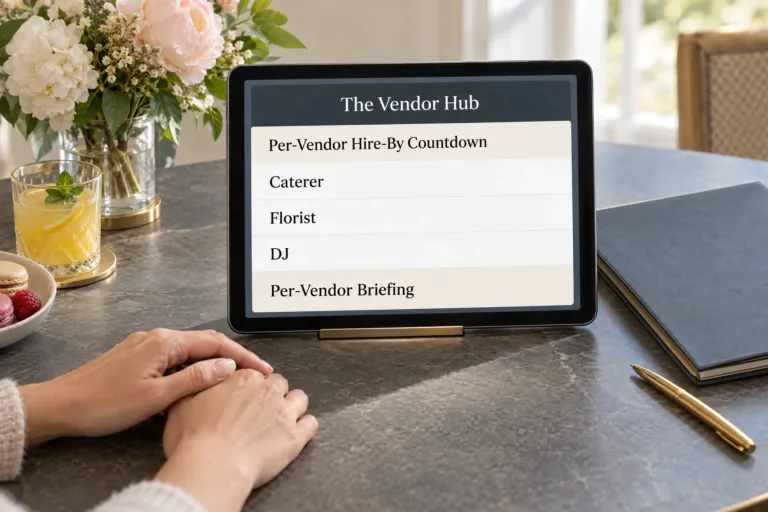
Vendor Hub
Free, no sign-up. Start in the tool, then print this to carry the plan to the table.
Open the tool
Before you buy
How do I get it?
Checkout runs on Payhip. The download appears right after payment, and Payhip emails you the link as well.
What do I open it with?
Microsoft Excel, or Google Sheets free in any browser. It opens on a Start Here tab with five first steps and comes with a one-page Quick Start PDF: type where they show you, and the formulas work out the rest. No macros. Apple Numbers drops the dropdown lists and can't run some of its formulas, so on a Mac use Google Sheets or Excel for the web (both free).
Which paper size is it?
Both. The download holds a US edition that prints on Letter and a UK edition that prints on A4.
Can I share it with my co-host?
Yes. Share it with the people planning the party with you. Reselling it or passing it on as your own is not allowed.
Something else? Ask us. A person answers.
The rest of the shelf is one door away.
Planners, game kits and style guides: every sheet priced once and yours for good.
Browse all printables