How Does the Day-of Hour-by-Hour Timeline Work?
The timeline runs 6 short steps, and every answer shapes the result, so the final run sheet fits the event type, the duration, and the vendor plan you are actually running, not a generic day-of checklist. The full session takes under 2 minutes on a phone or laptop, with no signup or email gate before the result.
Step 1, event type. Pick from 10 event types (birthday, wedding, baby shower, bachelorette or bridal shower, graduation, anniversary, engagement, retirement, housewarming, general celebration). The event type decides which key moments you are offered at Step 4 and which clash warnings the results page can raise.
Step 2, start time. Enter the doorbell start time, the one fixed point. The timeline anchors everything to that minute, running the setup blocks backward from it and the key moments forward, so the vendor arrivals land at the right hour before the doorbell and the cleanup block lands after.
Step 3, duration. Pick the event window (2 to 3 hours, 4 to 5, 6 to 8, all day, or multi-day). The band rides along on the run sheet header and the exports, and it sets how long the sheet runs: when your moments finish well short of it, an Open time row carries the sheet to the length you picked, and on the 3 shorter bands the anchor banner warns when the moments run past the window. A multi-day pick still returns a single day's sheet that you reuse for each day of the event.
Step 4, key moments. Tick the moments your event includes, from a list filtered to your event type. The timeline sequences them in the order the list shows, whatever order you tick them in, and drops 15 minutes of buffer after each one, so a moment that runs long eats into that buffer rather than colliding with the next block. Pick 2 that commonly clash, like cake-cutting and the first dance, and the tool raises it as a warning rather than silently stacking them.
Step 5, vendors. Tick the vendors you have booked from the 7 the tool tracks (caterer, photographer, DJ or music, florist, bartender, decorator, cake delivery), or pick none. Each carries its own arrival lead time, worked backward from your anchor: florists 120 minutes ahead, decorators 150, caterers and cake delivery 90, DJ or music 75, photographers and bartenders 60.
Step 6, review. Check the 5 answers back before the timeline builds, then generate the run sheet.
🛒 As an Amazon Associate, we earn from qualifying purchases, at no extra cost to you.
Day-of Timeline Binder
Shop on AmazonParty Emergency Kit Box
Shop on AmazonEvent Walkie Talkie Set
Check Price on AmazonUse the Timeline Before the Vendor Hand-Off Calls
The instinct on the lead-up week is to call each vendor with a rough arrival window and trust that the day will hold together. That approach produces a vendor schedule that collapses at the first 20-minute delay because no one knows what the next block depends on. The timeline plots every vendor arrival, setup block, and key moment against a single anchor time, each with its own start minute and a short note beneath it, so a 20-minute slip slides the schedule instead of breaking it.
Four reasons hosts run the timeline before the vendor hand-off calls.
- Anchor-based block math, not estimates. A wedding with guests due at 5:30pm works each vendor arrival block back off that vendor's own lead time (3:00pm decorator, 3:30pm florist, 4:00pm caterer, 4:30pm photographer) and runs the ticked moments forward from the anchor. The timeline runs the math on the minute, so the vendor hand-off calls cite the actual hour the vendor needs to be on site instead of a vague window.
- Clash warnings, not guesswork. Some moments compete for the same guests and the same photographer. Tick cake-cutting and the first dance on a wedding and the timeline says so, because both are photo-heavy and the room needs time to reposition; tick cake and speeches on a birthday and it asks for 15 minutes between them. The warnings are guidance rather than blocks, but they surface the collision while the plan is still on screen.
- Buffer sequenced into the arc. A long event day gathers delay across the arc; the timeline drops 15 minutes of buffer after every key moment you tick, so the delay absorbs block by block instead of compounding to a late toast. Run a back-to-back timeline with no buffers and that delay keeps pushing the cake-cutting later.
- Vendor arrivals worked back from the anchor. Many vendor conversations start with a vague "sometime that afternoon". The timeline gives each booked vendor its own arrival minute, counted back from your start time on that vendor's own lead time, so the caterer, the florist, and the decorator are not all landing in the same 15 minutes at the door.
The timeline pairs naturally with the Party Planning Timeline for the longer-window lead-up planning across 4-to-8 weeks, the Vendor Hub for vendor selection and hire-by dates ahead of the day, and the Last-Minute Emergency Planner for a prioritized action plan when the party is only hours or a few days away.
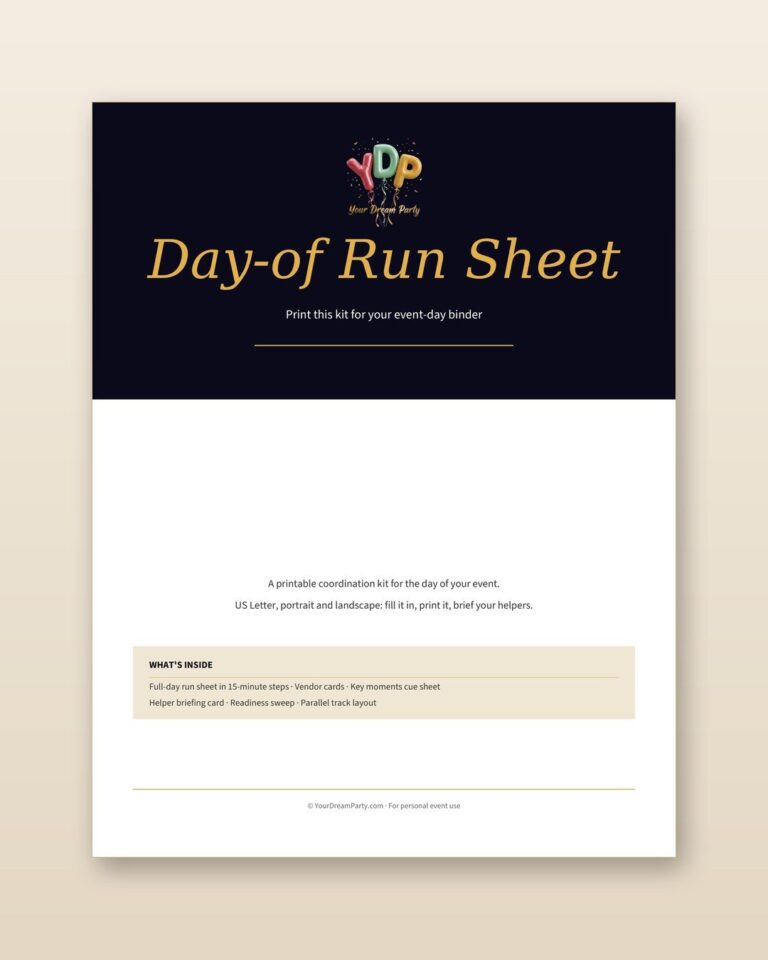
Day-of Run Sheet
- Full-day run sheet in 15-minute steps, 9:00 AM to 11:45 PM
- Every time and phase editable
- 8 vendor coordination cards
- Key-moments cue sheet with 5- and 1-minute reminders
What the Day-of Hour-by-Hour Timeline Builds for Your Day
Your 5 answers come back as a complete day-of run sheet. Each row points to the next move, the vendor arrival, or the day-of execution.
Anchor banner. A banner across the top of the result fixes the one thing everything else hangs off, the start time you entered, when setup opens, and how many moments and vendor windows it carries. It works as the one-line summary you send to the partner or the coordinator before the planning conversation.
Clash warnings. Where 2 of your ticked moments commonly compete for the same room or the same photographer, the result carries a short card saying which pair and how to space or order them. It only appears when your selections include such a pair.
The hour-by-hour run sheet. A phase-grouped block map anchored to your start time, with setup running backward from the anchor, vendor arrivals slotted at their own lead times, the key moments running forward with buffer between them, and cleanup wrapping up at the end. The map works as the master reference for the day, printed for the host and the partner.
Run sheet you can take off the page. The finished sheet copies to the clipboard, prints through a dedicated print layout, downloads as an .ics calendar file once you add the event date, and emails to whoever is running the day with you, so the plan reaches the partner, the coordinator, and the catering lead without anyone retyping it.
When Should You Run the Day-of Hour-by-Hour Timeline?
Three sample days show the range. Each one runs the same 6 steps, but the result changes because your inputs reshape the arc.
Pattern 1, wedding, 5:30pm guest-arrival anchor, all-day duration, 4 vendors booked. The timeline works the vendor arrivals back from the anchor to the decorator at 3:00pm, the florist at 3:30pm, the caterer at 4:00pm, and the photographer at 4:30pm, then carries the ticked moments forward with a 15-minute buffer after each. Tick the cake-cutting and the first dance together and it raises them as a pair that needs room between them. This fits full wedding-day timelines at booked event venues.
Pattern 2, baby shower, 2:00pm anchor, 2-to-3-hour duration, 2 vendors (caterer and florist). For this one the timeline works back to the florist at 12:00pm and the caterer at 12:30pm, then runs the ticked moments forward from the anchor with buffer between them, and flags cake against open-gifts if both are on the list. It suits a home-hosted baby shower of 15 to 30 guests.
Pattern 3, birthday, 7:00pm anchor, 4-to-5-hour duration, 3 vendors (caterer, bartender, DJ). Here the timeline works back to the caterer at 5:30pm, the DJ at 5:45pm, and the bartender at 6:00pm, then runs the ticked moments forward from the anchor, flagging cake and speeches if they land back to back. This works for milestone birthdays of 40 to 80 guests at rented spaces.
For the broader planning-and-event-arc context, the wedding reception ideas guide covers the wedding-reception-specific timeline language, the reception timeline ideas guide walks through the deeper reception flow, and the best event planning templates roundup covers the budget, timeline, guest list, and seating templates that sit alongside a day-of run sheet.
Pick the Right Answers Before You Open the Timeline
A few inputs sharpen the run sheet. Run through these before you start so the timeline has solid details to work with.
Pick the anchor time exactly, not approximately. An "around 5:30" anchor produces a timeline that drifts; the timeline math runs against the exact minute. If the invitation says 5:30pm and the first guests ring the bell at 5:33pm, enter 5:30 (the anchor that guests see) and let the run sheet sequence forward from there. The anchor stays fixed across every block.
Pull the duration from the venue contract, not the planning hope. The timeline takes the duration as a band, so a reception you hope runs 5 hours against a venue that closes at 11:00pm should go in as the band the paperwork actually allows, not the one you are hoping for. Read the close time off the contract before you pick the band.
Tick only the vendors you have actually booked. Every ticked vendor gets its own arrival block on the sheet, so a supplier still under negotiation puts a block on the day for someone who may never turn up. Leave them unticked until the booking is confirmed, then run the timeline again.
Tick the key moments you will actually run. The moment list drives the shape of the whole forward arc, and each tick adds its own block plus the buffer behind it. A speech you are half-planning is better left off until it is settled; adding it later means a fresh pass through the steps, and the rebuilt sheet re-sequences everything after it cleanly.
Save the run sheet 7 days before the event, not the morning of. The run sheet works as the lead-up vendor schedule, sent at least 7 days before the event so the vendors confirm their load-in windows against it. Running the timeline the morning of the event misses the vendor-confirmation window, and the run sheet drops to a host-only reference instead of a coordination tool.
Print 3 copies of the run sheet. One for the host, one for the partner or coordinator, one for the binder at the venue. The printed run sheet pulls double duty as a single-glance reference; a digital-only copy fails when phone batteries die or the venue's wireless internet drops. Carry the print in hand.
Frequently Asked Questions
Is the Day-of Hour-by-Hour Timeline actually free?
Yes. The timeline, the anchor banner, the hour-by-hour run sheet, the vendor arrival blocks, the clash warnings, and the print, copy, calendar and email exports cost nothing and require no signup. The optional upgrade is the Day-of Run Sheet PDF ($7.00), which builds on the result with a fillable run sheet in 15-minute steps, 8 vendor coordination cards, a helper briefing card and a key-moments cue sheet.
How does the day-of timeline differ from a planning timeline?
The day-of timeline plots the working hours of the event day itself, from the first vendor arrival and the setup window through the cleanup block, with a 15-minute buffer behind each key moment. The planning timeline plots the 4-to-8-week lead-up across the calendar, from its first milestone's tasks through the day-of checklist. The 2 tools work together: the planning timeline gets you to the day, and the day-of timeline gets you through it.
How many buffer windows should a day-of timeline have?
As many as you have key moments. The timeline drops a fixed buffer after each moment you tick in Step 4 rather than scaling a buffer count to the length of the day, so a run sheet with 3 ticked moments carries 3 buffers and one with 6 carries 6. The buffers absorb accumulated delay, so the back half of the arc is less likely to push past the venue's close.
What time should vendors arrive on the day?
Each vendor the timeline tracks carries its own lead time, counted back from your anchor. Decorators go in earliest at 150 minutes ahead, florists at 120, caterers and cake delivery at 90, DJ or music at 75, and photographers and bartenders at 60. Tick the vendors you have booked in Step 5 and the run sheet returns each one's arrival minute.
Can the timeline handle a multi-event day, like ceremony and reception?
Yes. Pick "Wedding" in Step 1 and enter the time guests arrive, then tick the ceremony, the cocktail hour, dinner, the first dance, the cake cutting, and the send-off at Step 4. The timeline sequences them into a single run sheet with buffer behind each one, and tells you where 2 of them are likely to crowd each other.
What happens if the day runs behind schedule?
The buffers absorb the first stretch of accumulated delay, a quarter-hour at a time behind each moment. Past that the call is yours: compress the blocks that stretch without breaking anything (extra photo windows, a longer cocktail hour) and protect the ones that cannot move (the vendor's departure, the scripted toasts). If the day has slipped far enough to need it, re-running the timeline on a later anchor takes under a minute.
Can I save or share the run sheet?
Yes. The run sheet copies to the clipboard, prints through its own print layout, downloads as an .ics calendar file for the date you pick, and emails out, so the partner, the coordinator, the photographer, and the catering lead all work from the same anchor, the same block map, and the same vendor arrivals.
Ready to Lock In the Day-of Run Sheet?
Six steps up top, under 2 minutes, and the "what happens when" question turns into a printable day-of run sheet: an anchor banner, a phase-by-phase block map, an arrival block for every vendor you have booked, buffer sequenced between the moments, and a warning wherever you tick 2 moments known to clash. The Day-of Run Sheet PDF below expands the result with a fillable run sheet in 15-minute steps, 8 vendor coordination cards, a helper briefing card and a key-moments cue sheet.
This page contains affiliate links to Amazon and other retailers. As an Amazon Associate, we earn from qualifying purchases at no extra cost to you. This helps us keep all our tools free.
Results generated by this tool are for planning and inspiration purposes only. Estimates are based on general guidelines and may vary depending on your specific circumstances. Always verify with your suppliers before making purchasing decisions.